

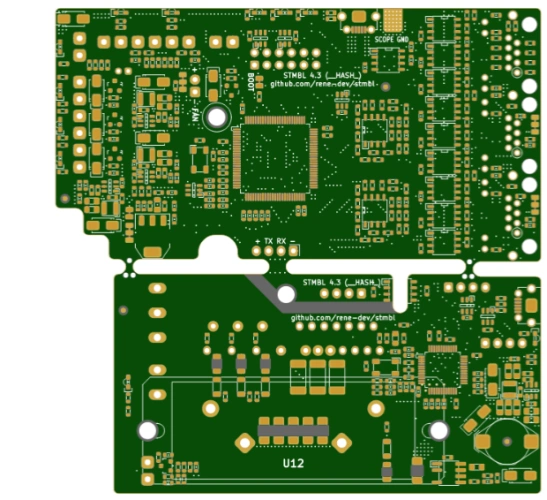
Project Overview
The STM32F4 AC Servo Driver is an open-source servo driver project based on the STM32F4 microcontroller. It is designed for CNC machine tool retrofitting and robot control, supports industrial-grade AC/DC servo motors with voltages up to 320V and power up to 2kW, and provides a flexible and low-cost solution for industrial automation.
Core Advantages of the Project
1. Compatibility with Multiple Motor Types and Feedback Systems
The STM32F4 servo drive supports various motor types, including synchronous AC servos, asynchronous AC servos, and DC servos. It is compatible with mainstream feedback systems such as resolvers, incremental encoders, and absolute encoders, meeting the control needs of different industrial scenarios. Whether it’s high-precision robot joint driving or high-torque machine tool spindle control, it can stably adapt.
2. Open Source Ecosystem and Flexible Customization
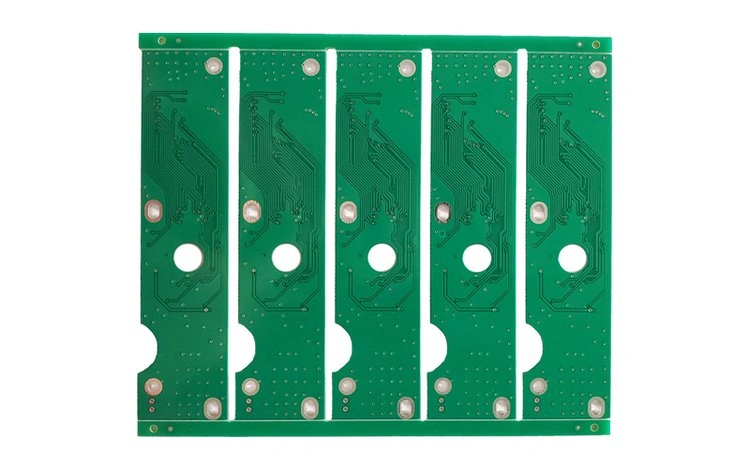
As an open source project, the hardware design files (such as the PCB design in the hw/kicad/ directory) and software code of the STM32F4 servo driver are completely open, allowing users to perform secondary development according to their actual needs. The project provides rich configuration files (located in the conf/ directory), covering parameter templates for motors from brands such as FANUC, HAAS, and FESTO, ready to use out of the box.
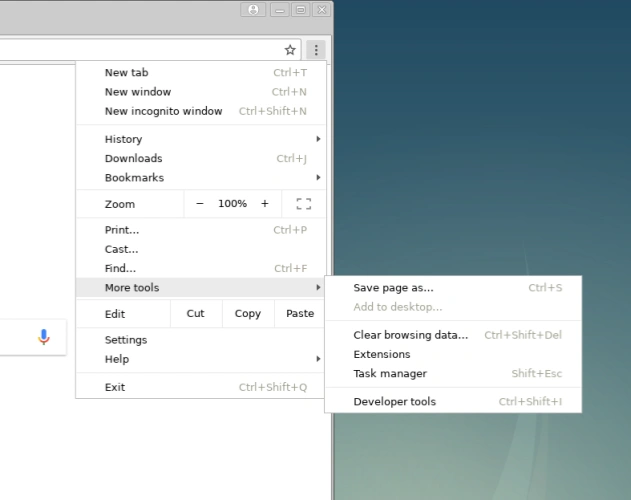
Figure: Schematic diagram of STM32F4 servo drive system module expansion, demonstrating the flexible combination of hardware interfaces and software components.
Getting Started from Scratch: 3 Steps to Project Deployment
Environment Preparation Checklist
- Development Tools: STM32CubeMX (for configuring peripherals), STM32CubeIDE (for compiling and debugging)
- Hardware: STM32F4 development board, servo motor, power module, encoder cable
- Auxiliary Tools: Git (version control), oscilloscope (for signal debugging)
Quick Deployment Steps

- Clone Project Code
- Configure Hardware ParametersOpen the 405.ioc file in the project root directory using STM32CubeMX. Select the corresponding configuration template (e.g., Conf/fanuc_a06b.txt) based on the motor model to generate the initialization code.
- Compile and Flash the FirmwareImport the project into STM32CubeIDE, compile it, connect the development board, and flash the firmware with one click. After startup, the USB serial port function implemented in src/usbd_cdc.c can be used to monitor real-time data using the ServoTerm tool.
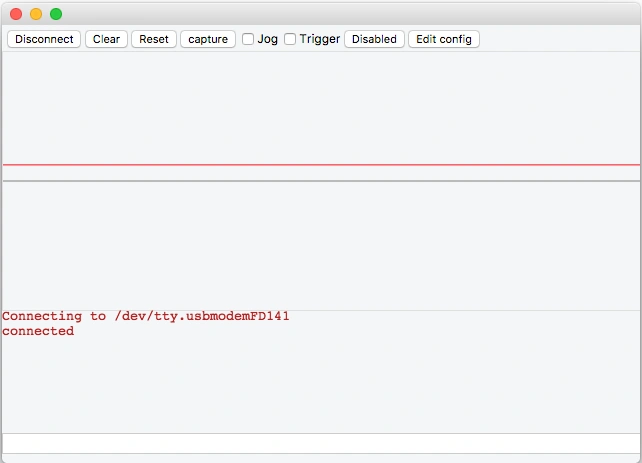
Figure: The ServoTerm tool displays key parameters such as motor speed and current in real time and supports dynamic adjustment of PID parameters.
Industrial Application and Optimization Techniques
Typical Application Cases
- CNC Machine Tool Retrofit: Replacing the old servo system with a position filtering algorithm implemented in src/comps/pos_filter.c improves machining accuracy to the 0.01mm level.
- Collaborative Robot: Achieving smooth collaborative motion of 6-DOF joints based on multi-axis PID control in shared/comps/mpid.c.
- Automated Production Line: Driving a 3kW asynchronous motor to complete high-speed conveyor belt positioning in conjunction with the conf/asyc_uf_3kw.txt configuration file.
Performance Optimization Guidelines
- Hardware Routing: Referring to the PCB design in hw/eagle/IRAMX-drv-v3.4.brd, power lines and signal lines are isolated on separate layers to reduce electromagnetic interference.
- Algorithm Optimization: The speed buffering algorithm in shared/comps/velbuf.c reduces impact vibration during motor start-up and shutdown.
- Fault Diagnosis: Overcurrent and overvoltage protection mechanisms implemented in src/comps/fault.c are combined with ServoTerm’s waveform analysis capabilities to quickly locate problems.
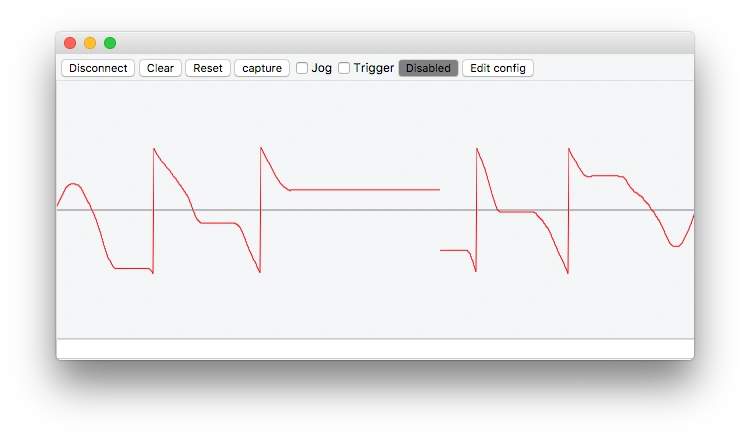
Figure: Monitoring interface for the cooperative motion trajectory of a four-axis robot implemented with STM32F4 servo drive.
Open Source Community and Resource Expansion
Core Documentation and Tools
- Getting Started Guide: docs/src/Getting Started.adoc provides a complete tutorial from hardware selection to software debugging.
- Configuration Templates: The conf/experimental/ directory contains experimental configurations for motors from brands such as Kollmorgen and Rexroth, suitable for advanced development.
- Simulation Tools: The motor simulation module implemented in shared/comps/motsim.c allows verification of control logic in a hardware-free environment.
Ecosystem Project Collaboration
- Real-time System: Integration with FreeRTOS (requires modification of lib/CMSIS/ configuration) for multi-task scheduling.
- Industrial Bus: Extended via src/comps/sserial.c to access factory IoT.
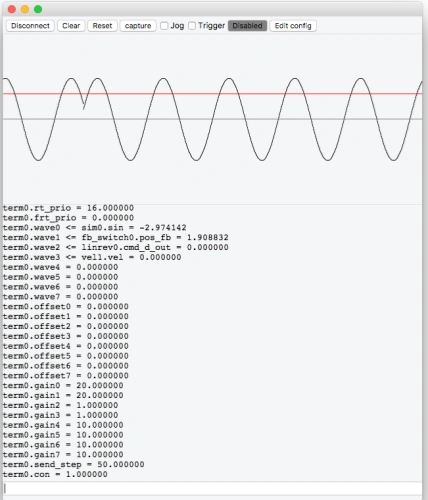
Figure: ServoTerm tool parameter configuration interface, supporting real-time modification of key parameters such as PID gain and soft limit.
Summary: A Bridge from Open Source to Industrial Applications
The STM32F4 servo drive project, centered on the STM32F4 microcontroller, breaks down the technical barriers of industrial servo systems through the open-source ecosystem. Whether you are a student, maker, or enterprise engineer, you can quickly build a stable and reliable servo drive system with this project. As community contributions continue to increase (such as the version management tool implemented in tools/add_version_info.py), the project’s compatibility and ease of use will continue to improve, making it an open-source benchmark in the field of industrial automation.
If you’re looking for a low-cost, highly flexible servo drive PCB solution, consider starting with the STM32F4 AC Servo Driver and exploring the endless possibilities of industrial control with PHILIFAST!